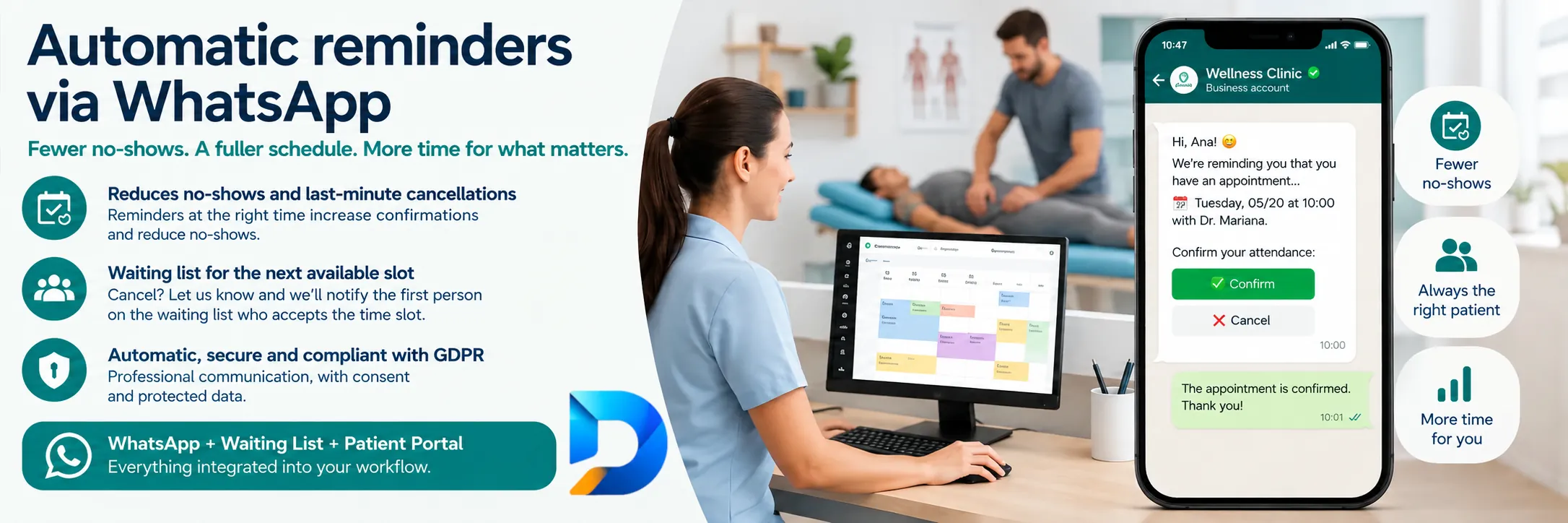
If your clinic still confirms appointments by hand — phone calls, the clinician’s personal WhatsApp, screenshots — you pay for no-shows twice: the empty slot and staff time. Automatic WhatsApp appointment reminders are not “another pretty message”: they are the channel with the highest open rates among real patients, provided they are tied to the diary, have a clear call to action and trigger actions (confirm, cancel, move to the waiting list). This guide focuses on channel and operations in any specialty, not only the advanced aesthetic clinic playbook.
Why WhatsApp beats SMS and email in daily practice
Reception sees it every week: email is read late or goes to spam; SMS is opened but awkward to reply to; calls go unanswered. WhatsApp is where the patient already talks to family and work. That does not mean improvising from the owner’s mobile. It means operational messaging: templates, schedules, diary states and traceability.
The difference between “we use WhatsApp” and “we have automatic reminders” is this:
- The message comes from the system, not a personal chat.
- It includes date, time, clinician/site and an action link.
- The patient’s reply (or click) updates the appointment state.
- The team sees who confirmed without reopening 40 conversations.
That model is what Domeralia’s WhatsApp feature describes: communication connected to operations, not a loose chat app.
Multi-specialty angle: same channel, different rules
There is excellent content on no-shows in advanced aesthetics — for example how to reduce no-shows in an aesthetic clinic — focused on deposit policies, high-ticket treatments and a “luxury appointment” feel. Here the focus is different: how to run the WhatsApp channel when the clinic is physiotherapy, psychology, general practice, multi-site or mixed.
- Physiotherapy / rehabilitation: course of sessions; one no-show breaks therapeutic rhythm. The reminder should also note “bring report / comfortable clothes” where relevant.
- Psychology / mental health: sober tone, no marketing emojis; confidentiality and neutral wording. The CTA can be confirm or reschedule with no clinical detail in the message.
- General practice / multi-specialty clinic: several clinicians and sites; the reminder must avoid ambiguity (“Dr Lopez — City site — 2nd floor”).
- Aesthetics / procedures: beyond the channel, deposits and preparation often apply; WhatsApp is the vehicle, not the full policy.
Same pipe (WhatsApp + diary). Different copy, different lead times and different exception rules. For a general no-show checklist, also see how to avoid client no-shows.
Timing design: when to send (and when not to)
One reminder the day before is better than none, but a two- or three-touch scheme works better on dense diaries:
- T-72 h or T-48 h: early reminder + link to confirm or reschedule. Goal: free slots with time to rebook.
- T-24 h: short follow-up. If they already confirmed, you can skip or send a light “we look forward to seeing you” per your saturation policy.
- T-3 h / morning of (optional): useful for first visits or patients with a history of forgetting; risky if you over-message and annoy people.
Avoid sending at 23:40 or in bulk blasts without segmentation. Define a time window (for example 09:00–20:00) and respect the site time zone. If the patient cancels on the first touch, the second must not go out: that only works with automation linked to the diary.
The right CTA: from “we remind you” to “do something”
A weak reminder says: “You have an appointment tomorrow at 10”. A strong one says: “Confirm, cancel or change here”. Ideally the link opens the self-service portal, where the action is logged. If you only ask “reply YES”, you need reliable parsing or manual work — and manual is what you want to remove.
Minimum message structure:
- Clinic identification (short name).
- Appointment details (day, time, clinician/site).
- One-line instruction (confirm / reschedule).
- Single link.
- Brief policy line (“Cancellations with less than 24 h…”).
No walls of text. No diagnoses. No unnecessary sensitive data.
When someone cancels: WhatsApp + waiting list
Reducing no-shows is not only about “getting people who already had a slot to come”. It is about the freed slot not dying. That is where the waiting list comes in:
- Timely cancellation → free slot in the diary.
- System notifies waiting-list candidates (by order, clinician, appointment type).
- Whoever accepts first takes the slot.
Without a waiting list, reminders improve confirmation rates but you leave money on the table every time someone gives 36 hours’ notice. With a waiting list, WhatsApp shifts from defensive (avoid gaps) to offensive (fill gaps).
Team operations: who writes and from where
Three rules that avoid classic “physio’s WhatsApp” chaos:
- Official clinic/commercial channel for reminders and confirmations; staff do not use private numbers for the diary.
- Approved templates by specialty or appointment type; reception does not invent each time.
- Exceptions with criteria: if a patient asks for a change in free chat, reception makes the change in the diary — not “we agreed that” only in the thread.
A simple health indicator: if someone goes on holiday and reminders still go out the same, you are truly automated. If they stop, you depended on one person.
Consent, GDPR and tone: what you cannot improvise
WhatsApp is powerful and also personal data in transit. Ensure lawful basis and contact preferences; do not mix promotional marketing with appointment reminders in the same template without clear criteria. For product compliance capabilities, see GDPR in Domeralia.
On tone: professional, brief, human. Avoid alarmist capitals and fee threats in the first reminder; no-show policy should be clear, not hostile. Hostility drives blocks and complaints; clarity drives attendance.
Channel metrics (not just “open rate”)
Measure what moves the diary:
- % of appointments with reminder sent correctly.
- % of confirmations after first vs second touch.
- Cancellations >24 h driven by the reminder.
- Slots filled via waiting list after cancellation.
- No-show rate before/after (same 4-week window).
- Volume of manual “what time was it?” chats (should fall).
If opens are high but no-shows do not fall, the fault is usually the CTA (no action link) or policy (cancelling is impossible / nobody rebooks).
Mistakes that kill reminder effectiveness
- Sending from the clinician’s personal mobile.
- Wrong details (old site, swapped clinician).
- Reminder with no cancel option → patient prefers not to tell you.
- Three identical messages the same day.
- Not syncing with portal/diary → double confirmation by phone “just in case”.
- Using WhatsApp only to chase people after a no-show, never to prevent it.
One-week activation plan
- Audit where confirmations come from today (phone, Instagram, personal WhatsApp).
- Define T-48 / T-24 timings and a time window.
- Draft 2–3 templates per appointment type (first visit / follow-up / procedure).
- Connect link to portal or confirmation flow.
- Enable waiting list for at least one pilot clinician.
- Train the team: “if confirmed in the system, do not call back unless exception”.
- Review metrics the following Friday and adjust copy, do not abandon the channel.
To see the module and fit with the rest of the suite, go to WhatsApp, waiting list and landing + portal. When you want to size the plan, see pricing.
Frequently asked questions
Do automatic WhatsApp appointment reminders work in every specialty?
Yes, if you adapt tone, timings and instructions. The channel is universal; cancellation policy and copy should match each type of consultation.
Does the patient need to reply to the message?
Ideally one click to a portal that logs confirmation. “Reply YES” only works if someone (or the system) processes those replies without error.
How many reminders is too many?
More than three close together usually overwhelms. Start with two (48 h and 24 h) and add a third only for high forget-risk segments.
What do I do when someone cancels on WhatsApp?
Free the slot in the diary immediately and trigger the waiting list. If the cancellation lives only in chat, the slot dies.
Can I use the same WhatsApp for promotions?
Separate criteria and consent. Mixing offers with appointment reminders increases blocks and blurs the clinical-operational purpose of the channel.
Where do I start if everything is manual today?
Pick one pilot clinician, automate T-48 plus confirmation link and measure no-show for four weeks. Then scale to the rest of the diary.
Try Domeralia free for 14 days — create your account or see pricing.